Should I use Boot Camp or Parallels Desktop for Mac?
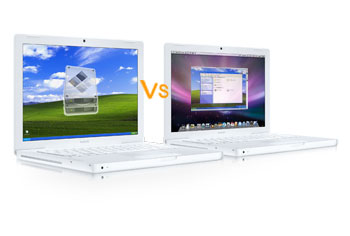 The difference between Boot Camp and Parallels Desktop for Mac is whether booting Windows at startup or running a Windows virtual desktop while using your Mac. I remembered when I just brought my new Mac Pro notebook, I want to install Windows on top of my OS X. (I decided to buy my Mac Pro after I saw the Apple's Mac Vs PC commercial. :) ) So I installed Boot Camp on top of my OS X and running it for about a month.
I found that even though Boot Camp was a useful thing to have for running some of my Windows-only applications, but often it is not very convenient for me to restart my computer in order to switch between each operating systems. So, I then switched to Parallels Desktop for Mac and it was surprisingly fast and stable. Well now you may think that Parallels Desktop may be the best option for running a virtural PC on your Mac. However, it just really depends on individual needs. I have listed out some Pros and Cons for both Boot Camp and Parallels Desktop for Mac. Choose wisely and enjoy - Chris!
Why do you want to use Boot Camp?
 Pros:
Pros:
- You can run your Windows at full speed. Good for PC gamers and active Microsoft Office users.
- Easy to install. No need to search for any drivers or burn a disc during installation.
- It's Free! It comes with the new Mac OS X Leopard, or you can download it manually.
Cons:
- You have to close everything you're doing in OS X and reboot.
- It takes longer to boot than Parallels. Thanks to Parallels ability to resume your previous Windows session.
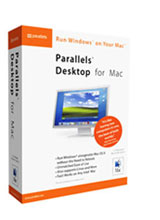
Why do you want to use Parallels Desktop for Mac?
 Pros:
Pros:
- You can run your Windows or Linux while you are working on OS X.
- It's Fast. It only takes about 9 second to start running your virtual desktop.
- It's Free! It comes with the new Mac OS X Leopard, or you can download it manually.
Cons:
- It's $79.95 for download.
